
Home / Features / User Management
User Management
Give every guard their own account. Control who can configure routes, run patrols, and access reports from a centralized workspace.
Individual Accounts
Every guard gets their own Patrol Points account
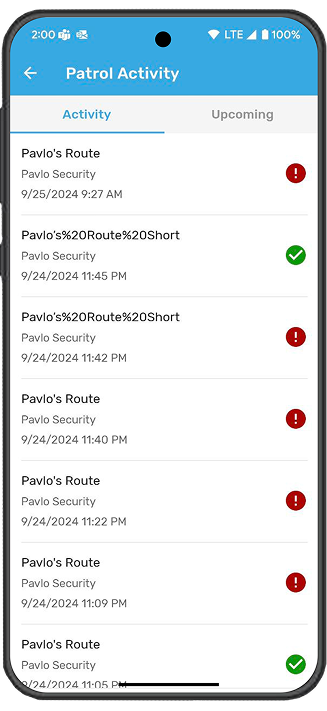
Each security officer is set up with their own account using just an email address. From their account, guards can conduct patrols, create incident reports, update security logs, and check their schedule. All actions are tied to the individual guard, so management always knows who did what and when.
- Set up new accounts with just an email address
- Each guard's activity is tracked to their account
- Guards access patrols, incidents, logs, and schedules
- Works on desktop and mobile from a single login
- Accounts can be activated or deactivated instantly


Role-Based Permissions
Control access with admin and patrol permissions
Patrol Points uses two core permissions: "Can Administer Security Patrol" and "Can conduct a Security Patrol." Administrators configure routes, schedules, and settings. Patrol users conduct patrols and file reports. You can assign both permissions to the same user or keep them separate depending on your team structure.
Centralized Workspace
Manage your entire security team from one place
All user accounts, permissions, and activity are managed from the Patrol Points web dashboard. Management can see which guards are active, review their recent patrols, and adjust permissions as needed. Patrol data and reports are stored securely on the cloud and can be accessed without relying on individual devices.
- Centralized dashboard for all user management
- View active guards and recent activity
- Adjust permissions without disrupting operations
- All patrol data stored on the cloud, not on devices
- Designed to scale with teams of any size

Related Features


Get Started
One platform for your entire security team
Manage accounts, permissions, and activity from a single workspace.
Request a Demo