
Home / Features / Checkpoints
Checkpoints
Durable NFC tags that scan with any smartphone. Place them anywhere on your property and register them in seconds.
Setup and Registration
Create new checkpoints using just your phone
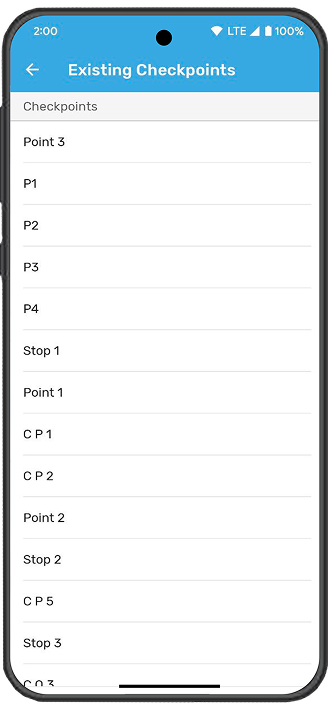
Setting up a checkpoint takes seconds. Name the checkpoint, hold your phone over the NFC tag, and it is registered. Checkpoints can be added to a route immediately or saved for use across multiple routes later. If a tag needs to be replaced, you can rescan a new tag and assign it to an existing checkpoint without losing any history.
- Name and scan a new checkpoint in under 30 seconds
- Add checkpoints to one or multiple routes
- Rescan and reassign tags without losing checkpoint data
- Edit checkpoint names at any time
- Unlink or delete checkpoints from individual routes


Affordable Hardware
Cost-effective NFC tags that work anywhere
NFC tags are small, affordable, and built to last. They stick to most surfaces and can be placed indoors or outdoors. The hardware does not attract attention, which helps maintain the security of your patrol routes. You can purchase tags on your own or ask us to provide them. There are no proprietary devices or expensive equipment to maintain.
Flexible Sequencing
Scan checkpoints in any order, or enforce a strict sequence
Management has full control over checkpoint sequencing. If your operation requires guards to scan checkpoints in a specific order, the app will direct them to the next checkpoint in sequence and show an error if the wrong tag is scanned. If flexibility is more important, enable the "Allow to scan checkpoints in any sequence" setting and let guards scan in whatever order makes sense for the situation.
- Enforce strict checkpoint order or allow any-sequence scanning
- Setting is configurable per workspace
- Guards see which checkpoint to scan next when sequencing is enforced
- Error message if the wrong checkpoint is scanned in strict mode
- Guards can navigate to a specific checkpoint from the list view

Related Features


Get Started
No signal? No problem.
Patrol Points keeps your guards productive in every corner of your facility.
Request a Demo